Web Developer Tools Checklist: 12 Free Pre-Launch Checks
Most launch problems aren't hard to fix. They're hard to notice: a staging Disallow: / that blocks Google, a forgotten noindex, a 4 MB hero image, an HTTP page that never redirects. Each takes minutes to catch before launch and weeks to recover from after.
This checklist covers 12 checks in four groups. Every check has three parts: what to check, a free web developer tool to check it with, and what a pass looks like. Run them in order; earlier checks affect later ones.
Quick answer: before launch, confirm crawlers can reach your site (robots.txt, sitemap, meta tags, no stray noindex), that it's fast (Lighthouse, image weight, minified code), that it's secure (SSL, DNS, HTTPS redirects), and that it looks finished (favicon, social image, colour contrast).
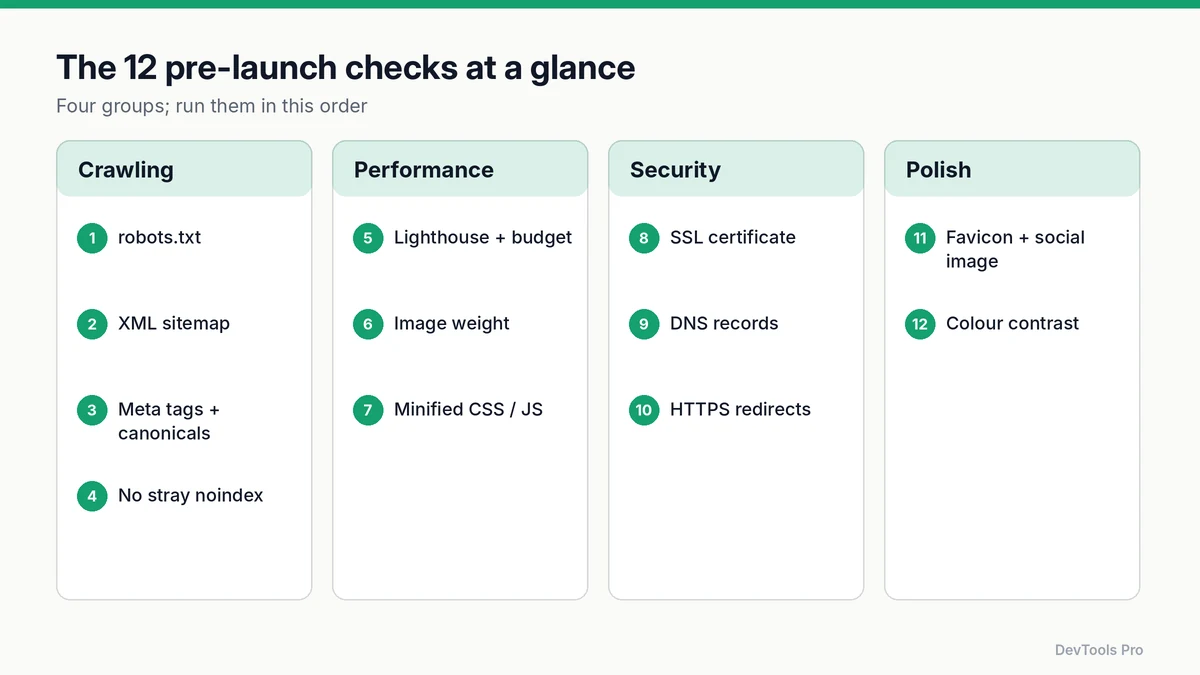
The checklist (copy this)
- 1. robots.txt allows crawling of public pages
- 2. XML sitemap exists and lists canonical URLs
- 3. Every page has a unique title, meta description and canonical
- 4. No stray
noindexon pages that should rank - 5. Lighthouse run on key templates, within your performance budget
- 6. Images resized, compressed and in modern formats
- 7. CSS and JavaScript minified
- 8. SSL certificate valid, with the full chain
- 9. DNS records correct for web and email
- 10. HTTP and non-canonical hosts redirect to one HTTPS version
- 11. Favicon and social sharing image in place
- 12. Text colour contrast meets WCAG AA
Group 1: Crawling and indexing
1. robots.txt allows crawling
Check: open https://yourdomain.com/robots.txt. Tool: generate a robots.txt file if you don't have one. Pass: public sections aren't disallowed, and a Sitemap: line points to your sitemap.
The classic launch mistake is shipping the staging file:
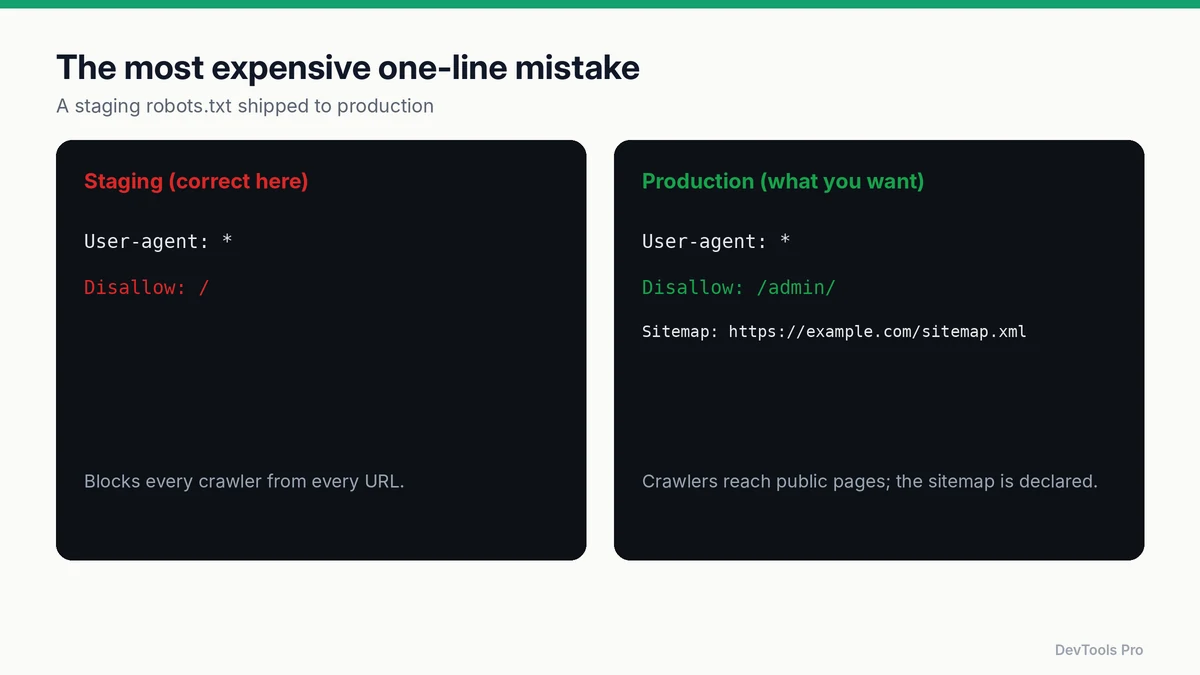
Remember what robots.txt does and doesn't do: Google states it controls crawling, not indexing, and isn't a way to keep a page out of search results (Google Search Central). Our robots.txt guide has copy-paste examples.
2. XML sitemap exists
Check: the sitemap URL loads and lists only canonical, indexable URLs (no redirects, no 404s). Tool: XML sitemap generator. Pass: every URL in the file returns 200 and is the version you want ranked. Google explains when a sitemap helps most in its sitemaps overview.
3. Titles, descriptions and canonicals
Check: view source on each template (home, category, article, product). Tool: meta tag generator. Pass: each page has a unique <title>, a meta description, and a <link rel="canonical"> pointing to its own preferred URL (Google on canonical URLs).
4. No stray noindex
Check: search page source and response headers for noindex. CMS "discourage search engines" settings often add it site-wide during development. Pass: noindex appears only on pages you deliberately exclude (thank-you pages, internal search results).
Group 2: Performance
5. Lighthouse run and performance budget
Check: run Lighthouse on each key template, on mobile settings, several times. Tool: Chrome DevTools' Lighthouse panel, our Lighthouse score simulator to see which metrics move the score, and the performance budget calculator to set limits for page weight. Pass: scores sit in the range you agreed, and real-user targets are realistic: Google's Core Web Vitals thresholds are LCP within 2.5 seconds, INP of 200 milliseconds or less, and CLS of 0.1 or less, measured at the 75th percentile (web.dev).
Lighthouse scores vary between runs; how the Lighthouse score is calculated explains why and how to read them.
6. Image weight
Check: in DevTools → Network, filter by Img and sort by size. Tool: online image compressor and image resizer. Pass: no image is larger than its displayed size needs, photos use WebP or AVIF with a fallback, and the largest above-the-fold image is not lazy-loaded. Full method: how to compress images for the web.
7. Minified CSS and JavaScript
Check: open a CSS or JS file from the Network panel. Tool: code minifier, or your build tool's production mode. Pass: production assets are minified and served compressed (look for content-encoding: gzip or br in response headers).
Group 3: Security and network
8. SSL certificate
Check: certificate validity dates, the hostname it covers (including www if you use it), and the intermediate chain. Tool: SSL checker. Pass: valid for every hostname you serve, not expiring within your renewal window, and no chain warnings.
9. DNS records
Check: A/AAAA or CNAME records for the root and www, plus MX and email-authentication TXT records if the domain sends mail. Tool: DNS lookup. Pass: records point to the production host, and old staging or previous-host records are removed.
10. HTTPS and host redirects
Check: request http://, http://www., https:// and https://www. versions of the homepage. Tool: your browser's Network panel; .htaccess redirect rules if you're on Apache. Pass: three of the four redirect, in a single hop, to the one canonical HTTPS host.
Group 4: Polish
11. Favicon and social image
Check: the browser tab icon, and how a link to your homepage previews when shared. Tool: favicon generator and social media image generator. Pass: the favicon shows in tabs and bookmarks; og:title, og:description and og:image are set on every template (Open Graph protocol).
12. Colour contrast
Check: body text, buttons and form labels against their backgrounds. Tool: DevTools' colour picker shows contrast ratios; the colour blindness simulator shows how your palette reads for people with colour vision deficiencies. Pass: normal-size text has a contrast ratio of at least 4.5:1, the WCAG AA level (W3C — Understanding contrast (minimum)).
After launch
- Submit the sitemap in Google Search Console and check the Page indexing report after a few days.
- Re-run checks 1, 4 and 10 on the live domain. DNS and CDN changes at launch can undo them.
- Set a reminder for certificate renewal if it isn't automatic.
Common mistakes
- Testing only the homepage. Templates differ; check one page of each type.
- Running Lighthouse once. Single runs are noisy. Take the median of several.
- Fixing robots.txt but not the CMS setting. Many platforms add
noindexseparately from robots.txt. - Redirect chains.
http → https → www → trailing slashis four hops; make it one.
Frequently asked questions
What should I check before launching a website?
At minimum: that crawlers can reach and index your pages, that the site loads quickly on mobile, that HTTPS works for every hostname with clean redirects, and that the basics (favicon, social preview, readable contrast) are in place. The 12-point list above covers each.
How do I know Google can crawl my site?
Check that robots.txt doesn't disallow public pages, that key pages have no noindex, and after launch use the URL Inspection tool in Google Search Console to see how Google fetches a page.
Does a small website need a sitemap?
It's optional for small, well-linked sites, but cheap to add and helpful for new sites with few external links. Google's sitemaps overview explains when it matters most.
What Lighthouse score should I aim for before launch?
Lighthouse labels 90–100 as good. Treat the score as a guide to which metrics need work rather than a target in itself, and confirm with real-user Core Web Vitals once traffic arrives.
Conclusion
A launch checklist works because it turns "I think it's fine" into twelve yes-or-no answers. Run it on every template, fix what fails, and re-run the crawling and redirect checks on the live domain. Every tool linked above is free and works in the browser.
Run all 12 checks with our free web developer tools →
Related tools
robots.txt generator · Sitemap generator · Image compressor · SSL checker · DNS lookup
Related articles
- How to create a robots.txt file
- How the Lighthouse performance score is calculated
- How to compress images for the web
Sources
- Google Search Central — Introduction to robots.txt: crawling vs indexing.
- Google Search Central — Sitemaps overview: when sitemaps help.
- Google Search Central — Consolidate duplicate URLs: canonical URLs.
- web.dev — Web Vitals: Core Web Vitals thresholds.
- W3C — Understanding SC 1.4.3 Contrast (Minimum): 4.5:1 contrast requirement.
- The Open Graph protocol: social preview tags.
Related Posts
How to Compress Images for the Web: JPEG vs WebP vs AVIF
Choose the right image format, compress without visible quality loss, and serve WebP and AVIF safely with fallbacks. Includes a format decision table.
Read More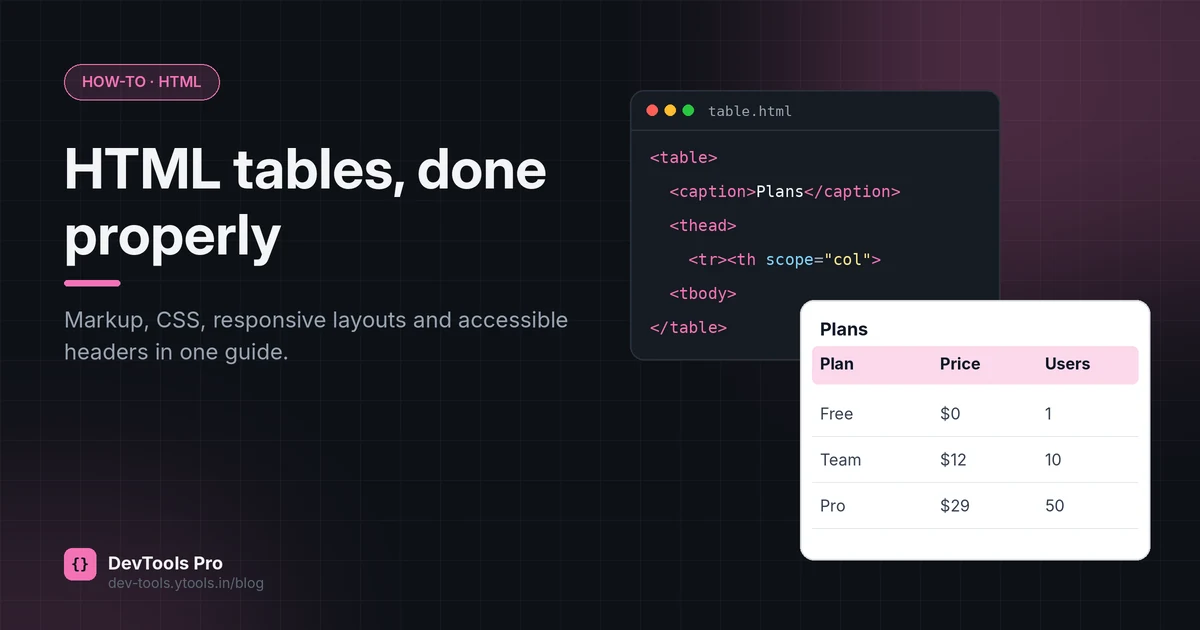
How to Create an HTML Table: Code, CSS and Accessibility
Build an HTML table from scratch: the right tags, merged cells, responsive CSS and accessible headers, plus how to turn spreadsheet data into HTML.
Read More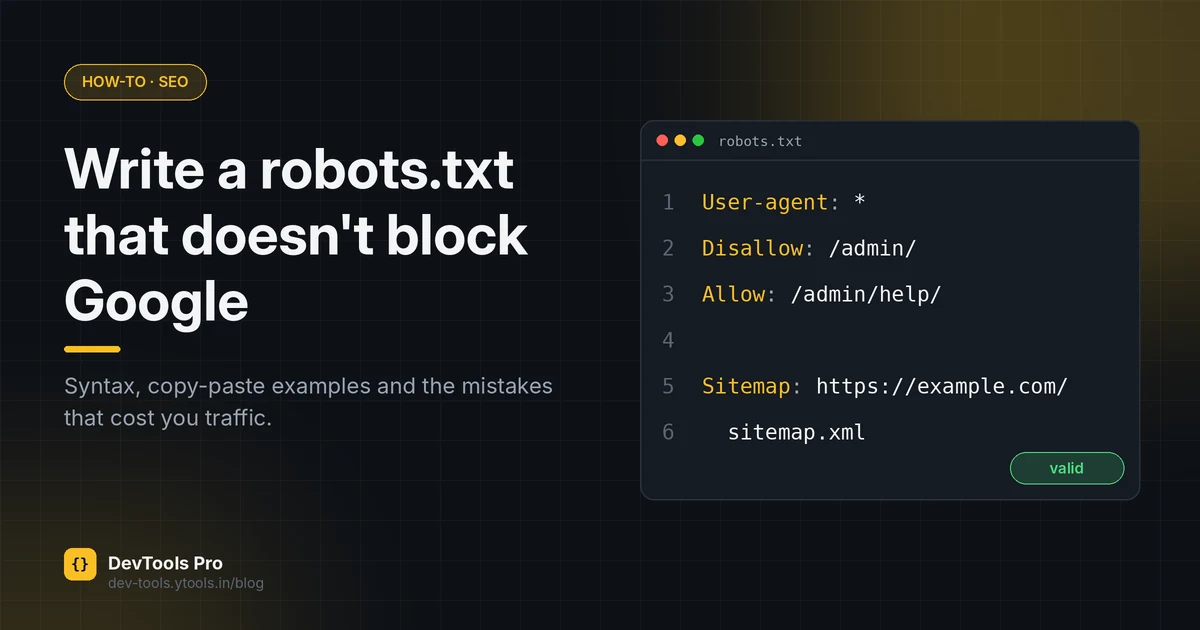
How to Create a robots.txt File: Rules, Examples, Mistakes
Create a correct robots.txt in minutes: syntax, copy-paste examples for common setups, how to test it, and the mistakes that accidentally block Google.
Read More