How to Create a robots.txt File: Rules, Examples, Mistakes
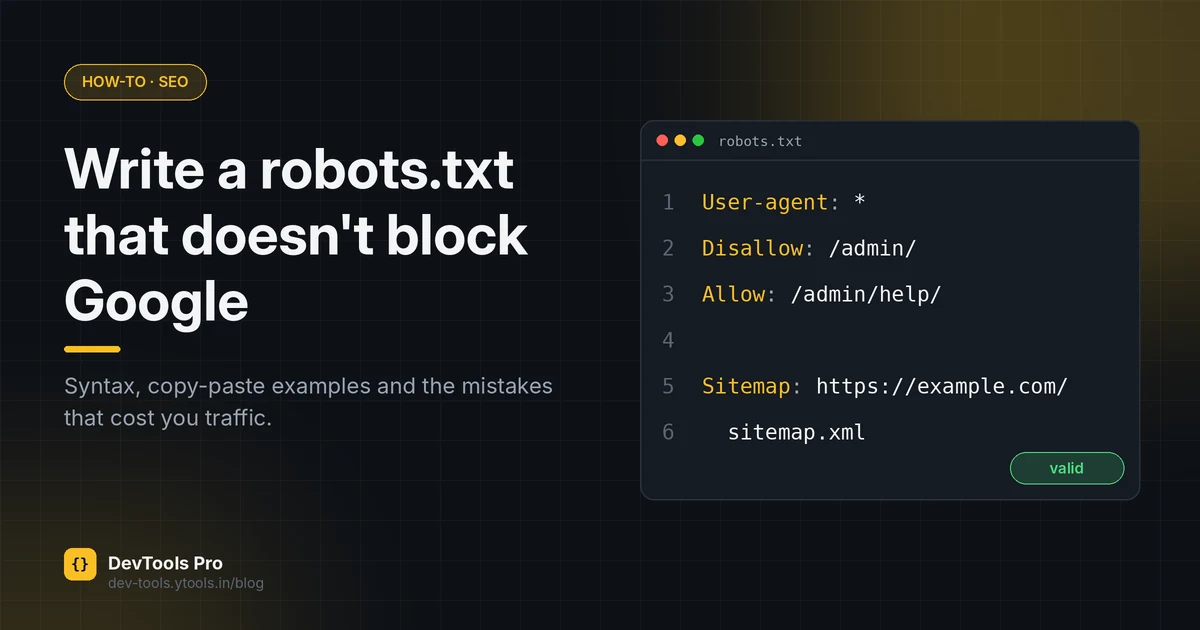
A robots.txt file is a few lines of plain text, and it's one of the easiest ways to accidentally remove a website from Google. It's also widely misunderstood: many people use it to "hide" pages, which it can't do.
This guide shows you how to create a robots.txt file from scratch, explains every directive, gives you copy-paste examples for common setups, and covers the mistakes worth checking for before you upload.
Quick answer: create a plain-text, UTF-8 file named exactly
robots.txt, add one or more groups that start withUser-agent:followed byDisallow:/Allow:rules, optionally add aSitemap:line, and upload it to the root of your site so it loads athttps://yourdomain.com/robots.txt. Then test it in Google Search Console.
In this guide
- What robots.txt does, and doesn't do
- The syntax
- Step by step
- Copy-paste examples
- robots.txt vs noindex vs password
- Common mistakes
- FAQ
What robots.txt does, and doesn't do
robots.txt tells crawlers which URLs on your site they may request. Google is explicit that it's mainly used to avoid overloading a site with requests and that it is not a mechanism for keeping a page out of Google. A URL that's disallowed can still appear in results if other sites link to it, usually without a description (Google Search Central).
It's also a request, not a lock. Well-behaved crawlers follow it; anyone else can ignore it. The rules themselves are standardised as the Robots Exclusion Protocol in RFC 9309.
Good uses:
- Stopping crawlers spending requests on infinite URL spaces (faceted filters, internal search, calendar pages)
- Keeping crawlers out of admin, cart and checkout paths
- Pointing crawlers at your XML sitemap
Bad uses:
- Hiding private or sensitive content (use authentication)
- Removing a page from search results (use
noindex)
robots.txt syntax
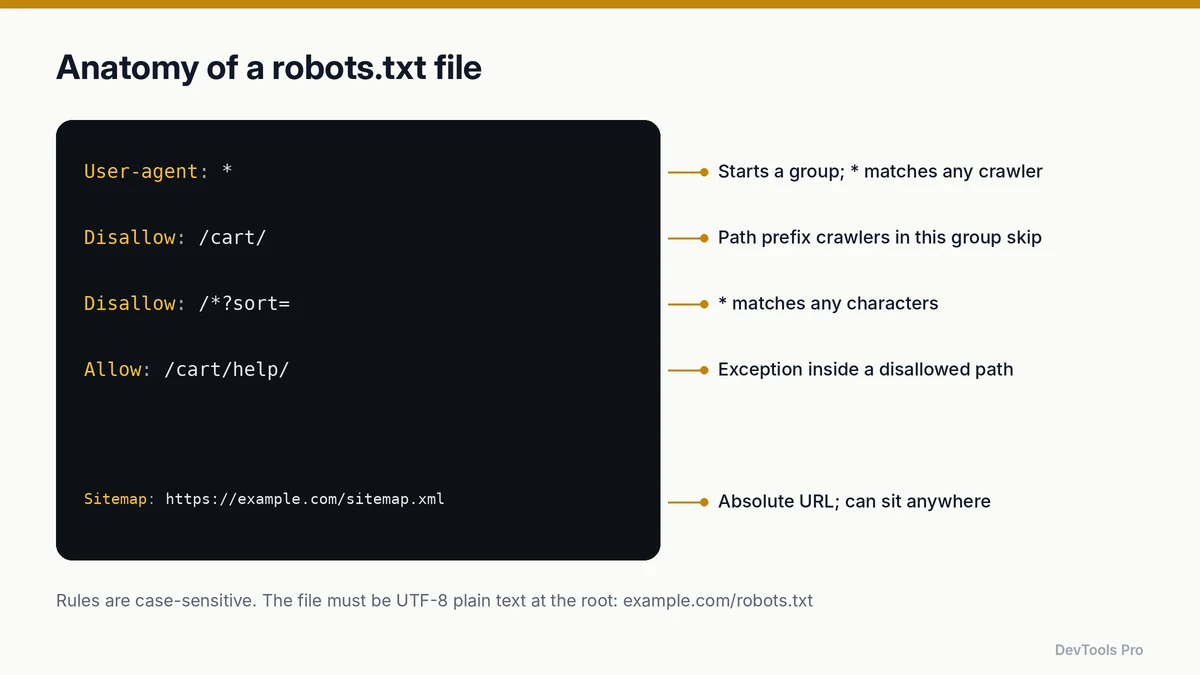
| Directive | What it does | Example |
|---|---|---|
User-agent | Starts a group and names the crawler it applies to. * means all crawlers. | User-agent: * |
Disallow | A path prefix the crawler should not request. Empty value means "nothing is disallowed". | Disallow: /cart/ |
Allow | An exception inside a disallowed path. | Allow: /cart/help/ |
Sitemap | Absolute URL of a sitemap. Not tied to a group; can appear anywhere. | Sitemap: https://example.com/sitemap.xml |
* (in paths) | Matches any sequence of characters. | Disallow: /*?sort= |
$ (in paths) | Matches the end of the URL. | Disallow: /*.pdf$ |
Rules to remember, all from Google's robots.txt creation guide:
- The file must be named
robots.txtand sit at the root of the host. A file atexample.com/pages/robots.txtis ignored. - One file per host.
shop.example.comneeds its own file; it doesn't inheritexample.com's. - It must be UTF-8 plain text. Word processors can add curly quotes or hidden characters that break it.
- Rules are case-sensitive:
Disallow: /Admin/does not block/admin/.
When rules conflict, Google applies the most specific (longest) matching rule; if an Allow and a Disallow are equally specific, the less restrictive Allow wins. That's why Allow: /cart/help/ works inside Disallow: /cart/.
How to create a robots.txt file step by step
- List what crawlers shouldn't request. Admin areas, cart and checkout, internal search, parameter-driven duplicates. Be conservative: every line is a chance to block something you need.
- Write the file in a plain-text editor or with a robots.txt generator, which builds valid syntax from checkboxes and avoids typos.
- Add your sitemap with an absolute URL. No sitemap yet? Create an XML sitemap first.
- Upload to the root of each host, so it loads at
https://yourdomain.com/robots.txt. On most hosts that's the public web root folder; some CMSs generate a virtual robots.txt you edit in settings instead. - Open the URL in a browser to confirm it loads as plain text, with status 200.
- Test it in Google Search Console's robots.txt report, which shows the version Google fetched and any parsing problems.
Copy-paste robots.txt examples
Replace example.com with your domain.
Allow everything (and declare a sitemap)
textUser-agent: *
Disallow:

Sitemap: https://example.com/sitemap.xml
An empty Disallow: allows everything. Having no robots.txt at all has the same effect for crawling, but the file is a convenient place to declare your sitemap.
Block one folder, with an exception
textUser-agent: *
Disallow: /admin/
Allow: /admin/help/

Sitemap: https://example.com/sitemap.xml
Block URL parameters that create duplicates
textUser-agent: *
Disallow: /*?sort=
Disallow: /*?sessionid=
Disallow: /search
Before blocking parameters, make sure the clean URL versions are linked and canonicalised. Blocking stops crawling; it doesn't consolidate signals.
Block a file type
textUser-agent: *
Disallow: /*.pdf$
Different rules for one crawler
textUser-agent: *
Disallow: /internal/

User-agent: ExampleBot
Disallow: /
A crawler follows the most specific group that names it, and ignores the * group in that case. Check each crawler's own documentation for its exact user-agent token.
A staging site
textUser-agent: *
Disallow: /
This stops compliant crawlers, but staging URLs can still be discovered and listed if linked anywhere. Password-protect staging environments, and never deploy this file to production. It's the most expensive one-line mistake in SEO; we cover it in the pre-launch checklist.
robots.txt vs noindex vs password protection
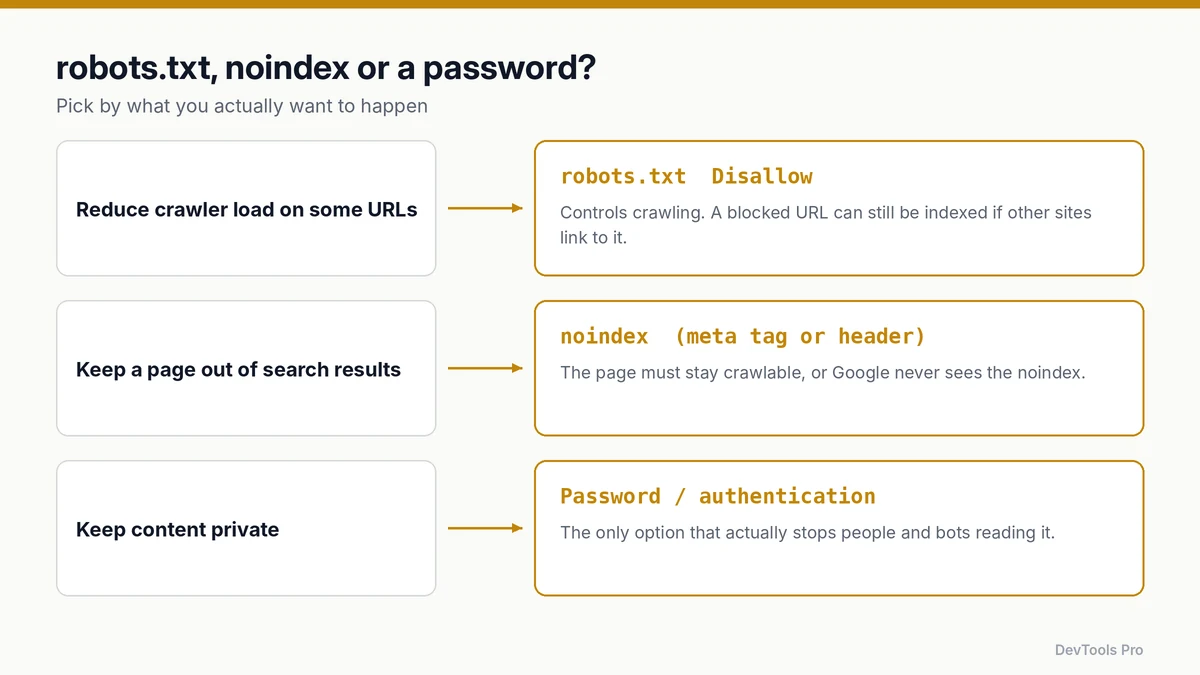
Choose by what you want to happen, not by habit.
| Goal | Use | Watch out for |
|---|---|---|
| Reduce crawler requests to some URLs | robots.txt Disallow | Blocked URLs can still be indexed if linked |
| Keep a page out of search results | noindex meta tag or X-Robots-Tag header (add a noindex meta tag) | The page must not be blocked in robots.txt, or crawlers never see the noindex |
| Keep content private | Authentication / password | The only option that actually stops access |
The trap in the middle row catches many sites: blocking a page in robots.txt and adding noindex means Google can't fetch the page to read the noindex.
Common mistakes
Shipping Disallow: / to production. Usually copied from staging. Check the live file after every deploy that touches the web root.
Blocking CSS and JavaScript. Google renders pages to understand them. If /assets/ or /static/ is disallowed, it may not see your content and layout as users do.
Using robots.txt to remove pages from Google. Use noindex (and leave the page crawlable) or remove the page.
Putting the file in a subfolder. Only the root location counts.
Case mismatches. /Blog/ and /blog/ are different paths.
Relying on Crawl-delay. Some crawlers honour it, but Googlebot doesn't. Don't assume it controls Google's crawl rate.
Forgetting subdomains. Each subdomain and protocol/port combination is a separate host with its own robots.txt.
Frequently asked questions
Where do I put robots.txt?
At the root of the host, so it loads at https://yourdomain.com/robots.txt. A file in any subdirectory is ignored.
Does every website need a robots.txt?
No. Without one, crawlers assume everything is allowed. It's still worth having one to declare your sitemap and to block obviously wasteful URL spaces.
Does robots.txt stop a page from being indexed?
No. It stops compliant crawlers from requesting the page, but Google can still index the URL if it's linked from elsewhere. To keep a page out of results, use noindex and leave the page crawlable.
Is robots.txt case-sensitive?
Path values are. Disallow: /Private/ doesn't block /private/. Directive names like User-agent are not case-sensitive.
How do I test my robots.txt?
Open it in a browser to confirm it loads, then use Google Search Console's robots.txt report to see the version Google fetched and any errors.
Can one robots.txt cover several subdomains?
No. Each host, such as www.example.com, blog.example.com and shop.example.com, needs its own file at its own root.
Conclusion
A good robots.txt is short. Block the URL spaces that waste crawl requests, declare your sitemap, keep CSS and JS crawlable, and use noindex or authentication for anything that must stay out of search or out of sight. Test after every deploy.
Generate your robots.txt with the free generator, then check it in Search Console →
Related tools
robots.txt generator · XML sitemap generator · Meta tag generator · .htaccess generator
Related articles
- Website launch checklist: 12 checks with free web developer tools
- Developer utilities: which free tools you need for each task
Sources
- Google Search Central — How to write and submit a robots.txt file: file name, location, encoding and rule format.
- Google Search Central — Introduction to robots.txt: robots.txt is not a way to keep pages out of Google.
- RFC 9309 — Robots Exclusion Protocol: the standard.
Related Posts
How to Compress Images for the Web: JPEG vs WebP vs AVIF
Choose the right image format, compress without visible quality loss, and serve WebP and AVIF safely with fallbacks. Includes a format decision table.
Read More
How to Create an HTML Table: Code, CSS and Accessibility
Build an HTML table from scratch: the right tags, merged cells, responsive CSS and accessible headers, plus how to turn spreadsheet data into HTML.
Read More
How to Make a CSS-Only Loading Spinner (Accessible Code)
Build a CSS-only loading spinner with @keyframes, make it accessible with ARIA and reduced-motion support, and learn when a skeleton screen is better.
Read More