How to Analyze Bank Statement Spending Safely
Your bank statement is the most complete record of your spending you have. It's also full of cryptic codes and sensitive details. This guide shows you how to read it, turn it into categorized spending, and do it without exposing information that no analysis ever needs.
What's in a bank statement?
Each row typically has:
- Date (transaction date and sometimes value date)
- Description / narration: a code-heavy line describing the transaction
- Debit (money out) or credit (money in)
- Balance after the transaction
- Sometimes a reference number
For spending analysis, you only need the first three or four.
Reading common Indian statement narrations
Exact formats vary by bank and app, but these prefixes are common:
| Prefix | What it usually means |
|---|---|
| UPI/… | A UPI payment or transfer; often includes the payee's name or VPA |
| NACH / ACH / ECS | An automatic debit set up by mandate: EMIs, SIPs, insurance, utility bills |
| NEFT / RTGS / IMPS | Bank transfers, both in and out (salary often arrives as NEFT) |
| POS | A card swipe at a shop |
| ATM / ATW / CWDR | Cash withdrawal |
| SI | Standing instruction set up with your bank |
If a narration is unclear, the amount and date usually let you match it to a receipt, SMS alert or app history.
How to analyze your statement, step by step
- Download one full month from your bank's official app or net-banking (never via a link in an SMS or email).
- Remove what isn't spending: salary and other income, transfers between your own accounts, credit card bill payments (categorize the card's purchases instead), and refunds (subtract them from the original category).
- Categorize each remaining debit by purpose. Expense Categories has a ready-made list.
- Add spending that's not on the statement: credit card purchases from the card statement, and cash spending you noted.
- Total each category and continue with the method in How to Analyze Your Monthly Expenses.
textNet spending = Total debits − Transfers to your own accounts − Credit card bill payments − Refunds
             (then add card purchases and cash spending recorded separately)
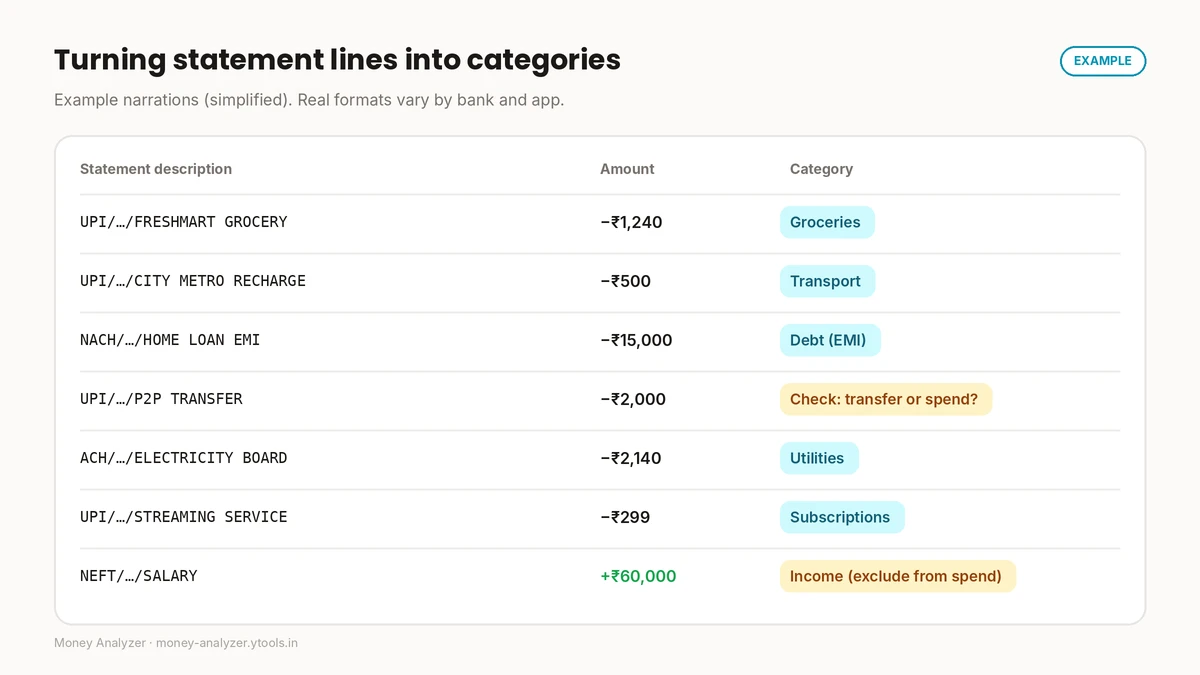
Example: categorizing statement lines
Example. Narrations are simplified and merchant names are invented for illustration.
| Statement description | Amount | Category |
|---|---|---|
| UPI/…/FRESHMART GROCERY | −₹1,240 | Groceries |
| UPI/…/CITY METRO RECHARGE | −₹500 | Transport |
| NACH/…/HOME LOAN EMI | −₹15,000 | Debt (EMI) |
| UPI/…/P2P TRANSFER | −₹2,000 | Check: a shared bill (spending) or a transfer to yourself? |
| ACH/…/ELECTRICITY BOARD | −₹2,140 | Utilities |
| UPI/…/STREAMING SERVICE | −₹299 | Subscriptions |
| NEFT/…/SALARY | +₹60,000 | Income: exclude from spending |
Person-to-person UPI transfers are the hardest lines. Add a short note when you make them ("rent share", "dinner split") and categorizing later becomes easy.
What you need, and what you should never share
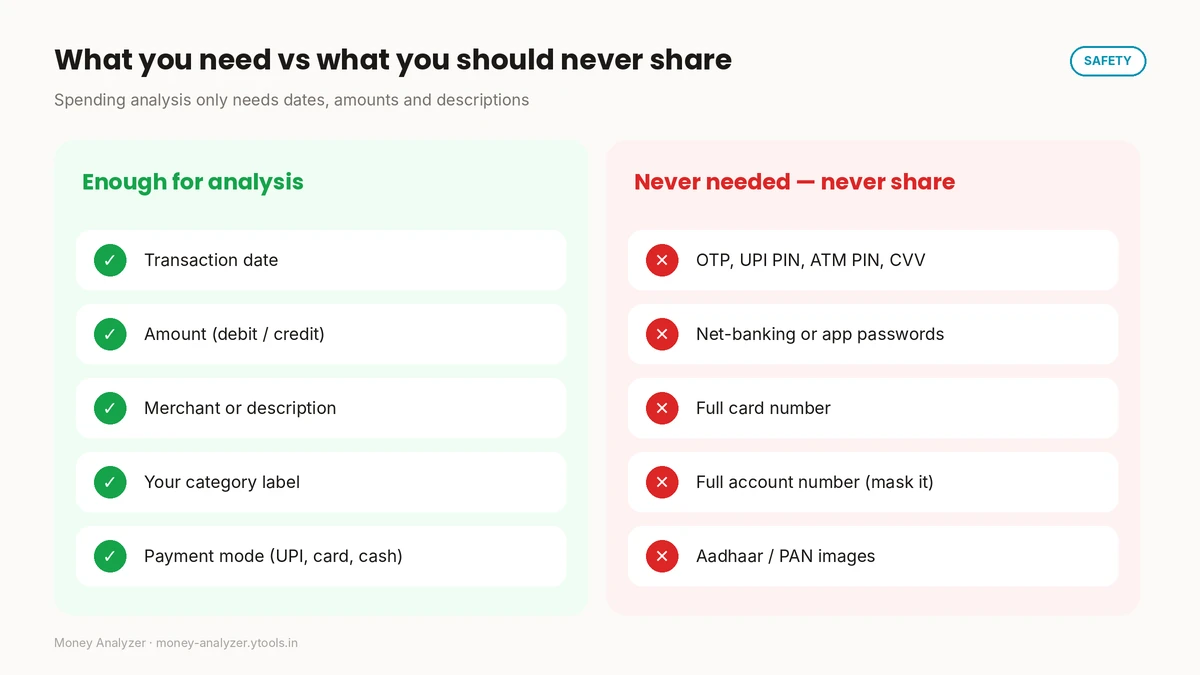
Enough for analysis: date, amount, description, your category label, payment mode.
Never needed, never share: OTPs, UPI PIN, ATM PIN, CVV, net-banking or app passwords, full card numbers, full account numbers, and images of identity documents.
The Reserve Bank of India's BE(A)WARE public awareness booklet describes common fraud methods in detail, many of which rely on getting people to share exactly these credentials. A useful rule: no budgeting or analysis task ever requires an OTP, PIN or password. If anything asks for one, stop.
A safety checklist for any finance tool
Before entering financial data into any app or website, including this one:
- Read the privacy policy. What's collected, where it's stored, whether it's shared. Money Analyzer's is at /privacy-policy.
- Enter only what analysis needs: dates, amounts, categories, descriptions.
- Mask account numbers (keep the last four digits at most) if a file includes them.
- Never enter credentials: passwords, PINs, OTPs, CVV.
- Download statements only from official bank apps or websites.
- Be careful on shared devices. Data stored in a browser or on a device may be visible to others who use it.
- Keep your device and browser updated.
How Money Analyzer can help
Money Analyzer is a free tool for tracking expenses, managing budgets and analyzing spending with charts. The site states that it works offline and stores data locally on your device. That's a meaningful design choice, but you should still review the tool's privacy policy before entering sensitive financial information, and follow the checklist above. Remember that locally stored data is only as private as the device it's on.
Frequently asked questions
How do I analyze my bank statement spending?
Download a full month from your bank's official app, remove income, own-account transfers, card bill payments and refunds, categorize each remaining debit by purpose, add card purchases and cash, then total each category.
What does UPI/… mean on my bank statement?
It indicates a UPI payment or transfer. The rest of the narration usually includes the payee's name or UPI ID and a reference number.
What is NACH on a bank statement?
NACH (and similar codes such as ACH or ECS) usually indicates an automatic debit made under a mandate you've authorised, such as an EMI, SIP, insurance premium or utility bill.
Should I count my credit card payment as an expense?
No. Count the individual purchases on the card statement instead; counting the bill payment as well would double-count.
Is it safe to share my bank statement with a budgeting app?
Read the app's privacy policy first and share only what analysis needs. Mask account numbers where possible. Never share passwords, PINs, OTPs or CVV. No analysis requires them.
What information does spending analysis actually need?
Dates, amounts, descriptions and categories. Nothing else is required.
Conclusion
Bank and UPI statements are the best raw material for spending analysis. Learn the common narrations, exclude transfers and card bill payments, categorize by purpose, and share only what analysis needs. Your credentials should never be part of the process.
Start safely: track your categorized spending with Money Analyzer, after reviewing its privacy policy.
This article is general educational information, not personalised financial, legal or security advice.
Sources: Reserve Bank of India, BE(A)WARE booklet release on modus operandi of financial frauds · Reserve Bank of India, Financial Education (FAME)
Related Posts
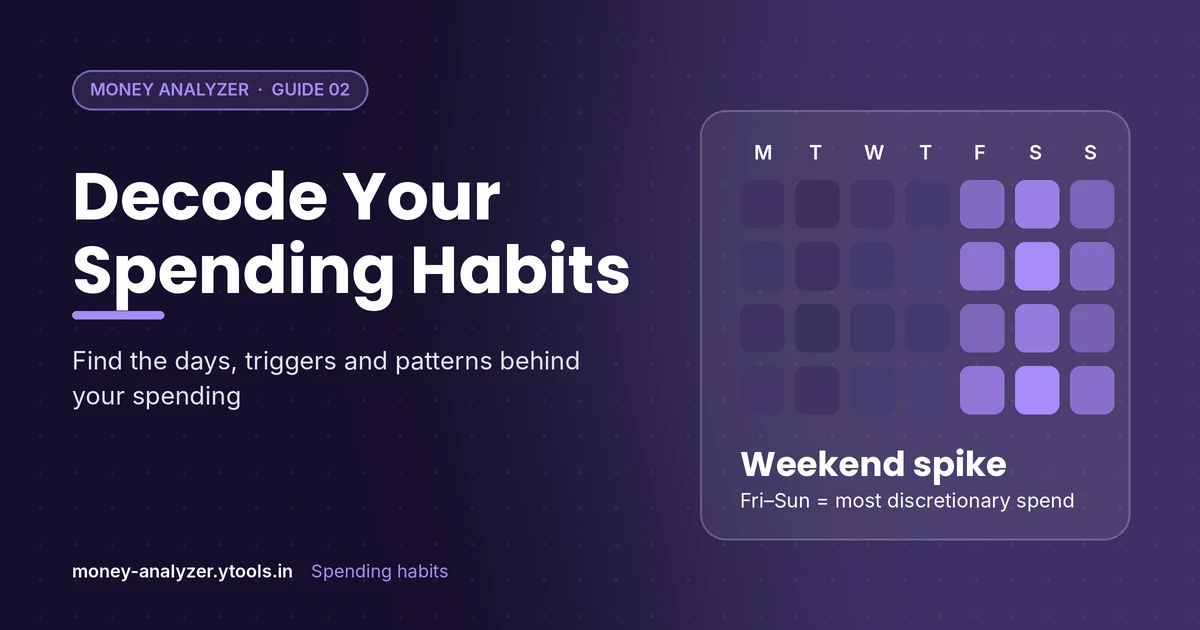
How to Analyze Your Spending Habits: Find Your Patterns
Learn how to analyze your spending habits by looking at frequency, timing and triggers. Includes a worked ₹ example and a simple habit-review method.
Read More
Budget vs Actual Spending: How to Analyze the Gap
Compare your budget with actual spending, calculate variance in ₹ and %, and decide what to change. Includes a worked example with every formula shown.
Read More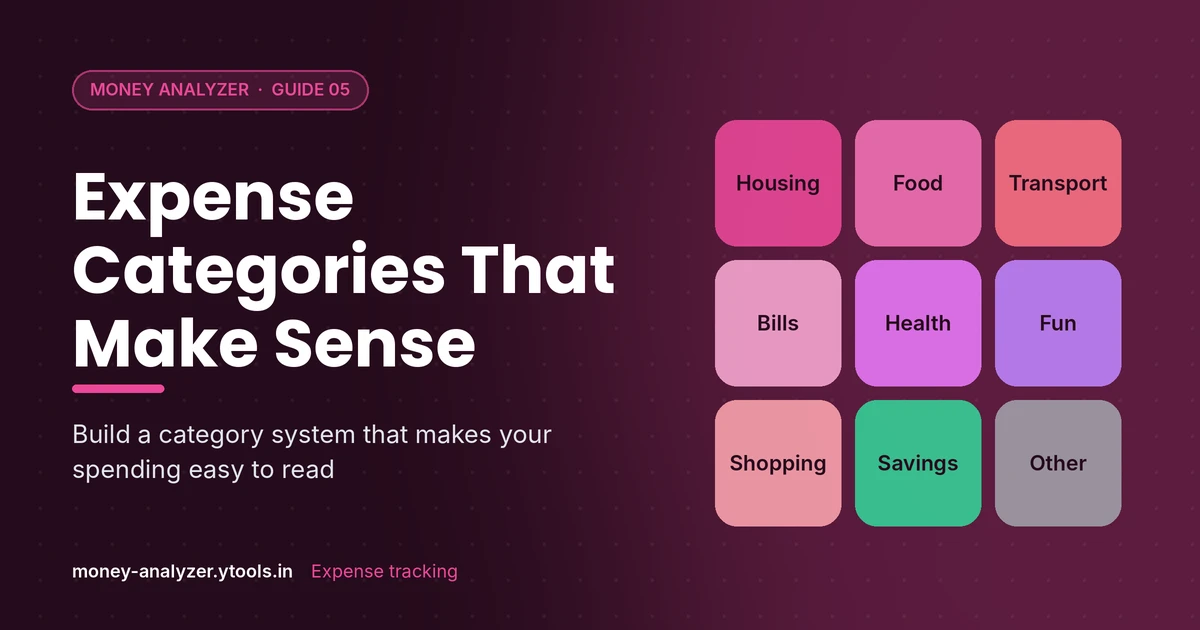
Expense Categories: How to Categorize Your Spending
A practical list of personal expense categories, grouped into fixed, variable, discretionary and savings, plus rules for categorizing tricky transactions.
Read More